mne-videobrowser#
Video and audio browser extension for MNE-Python’s Qt data browser.
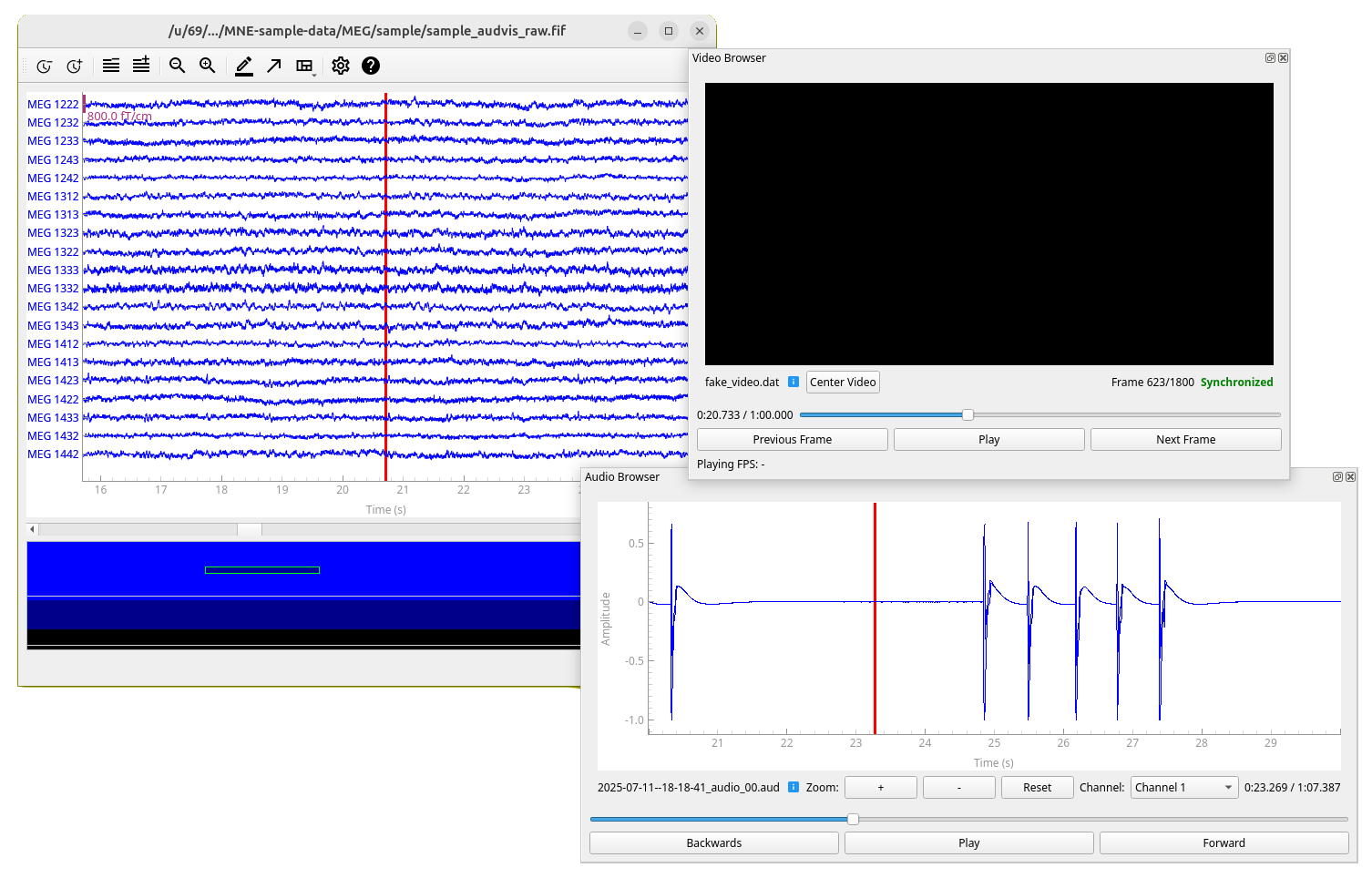
mne-videobrowser is an open-source Python package for browsing video and audio time-synchronized to MEG/EEG data. It serves as an add-on for mne-qt-browser, which is part of MNE-Python, an open-source Python package for exploring, visualizing, and analyzing human neurophysiological data.
This project also complements Helsinki VideoMEG project by supporting video and audio files recorded with their software.
Features#
Time-synchronized video browsing and playback with MEG/EEG data
Time-synchronized audio browsing and playback with MEG/EEG data
Support for multiple video and MEG files simultaneously (only one audio file with multiple channels at a time)
Support for Helsinki VideoMEG project format files
Standard video format support (MP4, AVI, etc.) via OpenCV (for audio only Helsinki VideoMEG format is currently supported)
Installation#
In addition to MNE-Python, this project requires package OpenCV for standard video file (such as .mp4) reading
and sounddevice for audio playback. Recommended way to install MNE-Python and thus this package is using
conda.
Using conda (recommended)#
Create a new conda environment (named
mne-videobrowser) with this package and all dependencies installed:conda create --channel=conda-forge --strict-channel-priority --name=mne-videobrowser mne-videobrowser
Activate the environment:
conda activate mne-videobrowser
Only on linux: If you do not have PortAudio library, which is dependency of
sounddeviceinstalled, install it. For example on Ubuntu/Debian:sudo apt install libportaudio2
Using pip#
Activate your desired Python environment (documentation for virtual environments).
Install this package, all dependencies will be installed automatically, except for a Qt binding, so you need to specify that in the command line as well if you don’t have one (we recommend PySide6):
pip install mne-videobrowser PySide6
Only on linux: If you do not have PortAudio library, which is dependency of
sounddeviceinstalled, install it. For example on Ubuntu/Debian:sudo apt install libportaudio2
Usage#
See usage examples on GitHub.
OpenGL affects performance
The performance on some platforms might be largely affected by the parameter
use_opengl of MNE-Python’s raw.plot() method. Experiment to find out
the effect on your computer.
Wayland on Linux
If you encounter problems on Wayland (for example not being able to
drag the video browser window), try telling Qt to use X11 instead by running
export QT_QPA_PLATFORM=xcb in your terminal.